
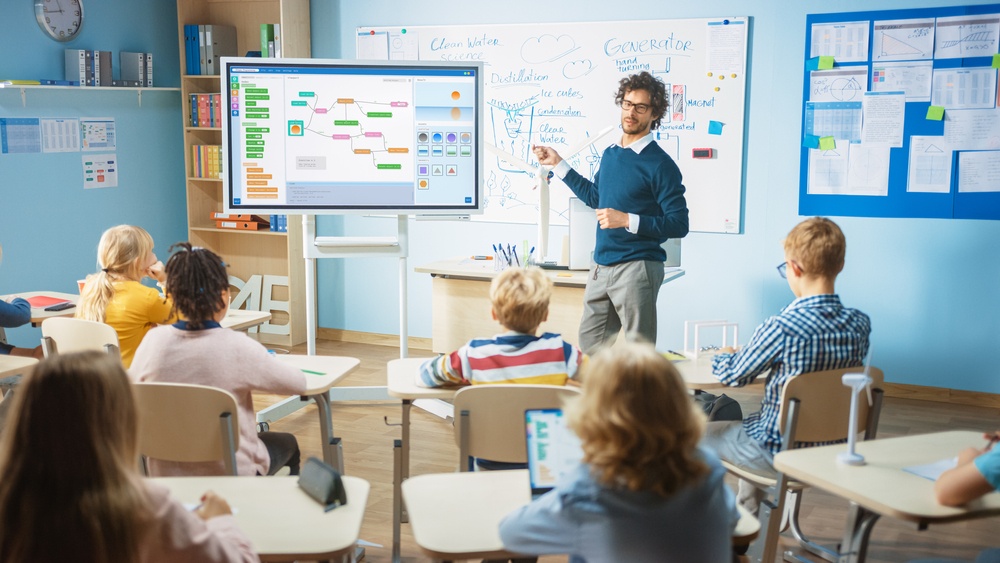

The modern educational landscape has transformed significantly over the last decade. Classrooms are no longer limited to rows of wooden desks facing a traditional chalkboard. Today, technology serves as a vital component in modern teaching, supporting dynamic instructional methods, fostering student engagement, and preparing learners for a digital society. When implemented intentionally, technology shifts the educational experience from passive information consumption to active discovery and collaboration.
Integrating digital tools into schools requires a strategic approach. Technology should never replace effective pedagogy; rather, it should enhance proven teaching strategies and make learning more accessible, interactive, and personalized. Exploring key classroom technologies and their practical application helps educators create learning environments that meet the diverse needs of modern students.
Interactive Displays and Smart Flat Panels
Traditional chalkboards and static whiteboards are rapidly being replaced by interactive flat panels and high-definition displays. These interactive screens combine the visual clarity of digital monitors with touch-sensitive capabilities, allowing teachers and students to interact directly with digital content.
- Multi-Touch Interactivity: Modern interactive displays support multiple touch points simultaneously. This feature enables small groups of students to work together at the board, solving math problems, manipulating virtual diagrams, or editing text collaboratively.
- Dynamic Content Integration: Teachers can seamlessly switch between instructional videos, interactive simulations, digital documents, and live web searches during a single lesson. This multimedia flexibility accommodates visual, auditory, and kinesthetic learning preferences.
- Digital Annotation and Archiving: Educators can write over images, documents, or web pages during a lecture. These annotated lessons can then be saved as digital files and distributed to absent students or posted to an online portal for later review.
Individual Student Devices and One to One Computing
One to one computing initiatives equip every student with a dedicated laptop, tablet, or Chromebook. Providing equal device access levels the playing field for all learners and provides consistent access to digital educational resources both in the classroom and at home.
- Differentiated Instruction: Individual devices allow educators to tailor assignments to distinct learning levels. Advanced students can explore enrichment activities, while students who require extra support can complete targeted skill-building exercises at their own pace.
- Immediate Feedback: Digital coursework platforms automatically grade routine exercises and quizzes. Students receive immediate feedback on their performance, allowing them to correct misunderstandings right away rather than waiting days for a paper assignment to be returned.
- Paperless Workflow Management: Digital submission systems reduce physical paper clutter. Students can draft, organize, and store their assignments in organized cloud folders, ensuring work is not misplaced between school and home.
Learning Management Systems and Digital Collaboration Tools
A Learning Management System serves as the digital hub of the modern classroom. Platforms like Google Classroom, Canvas, and Schoology organize instructional materials, assignments, gradebooks, and communication in a single accessible online location.
Centralized Curriculum Organization
Learning Management Systems allow teachers to post syllabus details, reading assignments, project rubrics, and educational videos in structured modules. Students can access course materials at any time, promoting self-directed study and helping absent students stay on track without requiring extra administrative effort from the teacher.
Real-Time Student Collaboration
Digital tools enable real-time collaboration on shared documents, spreadsheets, and presentations. Students working on group projects can edit files simultaneously from different locations, leave constructive comments for peers, and track version history to ensure equal contribution from all team members.
Formative Assessment Tools and Student Response Systems
Understanding student comprehension during a lesson is crucial for effective instruction. Formative assessment software and student response tools allow teachers to check for understanding in real time and adjust their instruction accordingly.
- Low-Stakes Gamified Quizzes: Platforms that gamify assessment convert routine review sessions into engaging activities. Students answer questions using their personal devices, competing individually or in teams while reinforcing key academic concepts.
- Anonymous Student Feedback: Shy or hesitant students often hesitate to raise their hands in front of peers. Digital polling tools allow every student to respond anonymously, giving teachers an accurate picture of total classroom understanding without putting individuals on the spot.
- Data-Driven Instructional Adjustments: Digital response systems collect aggregated student data instantly. If a poll shows that sixty percent of the class misunderstands a core concept, the teacher can immediately pause the lesson and explain the material using an alternative approach.
Assistive Technology and Inclusive Learning Tools
Technology plays a critical role in building inclusive educational environments. Built-in accessibility features and specialized software ensure that students with physical, cognitive, or linguistic challenges can fully participate in mainstream classroom activities.
- Text-to-Speech and Speech-to-Text Software: Students with dyslexia, visual impairments, or motor skill challenges benefit from software that reads written text aloud or converts spoken words into written documents. These tools remove mechanical barriers so students can demonstrate their true knowledge.
- Language Translation and Closed Captioning: Real-time translation tools assist English language learners by translating lesson outlines or providing live subtitling during teacher lectures. This support helps non-native speakers follow complex discussions while developing their target language skills.
- Customizable Visual and Audio Settings: Most operating systems offer adjustable font sizes, high-contrast display modes, and background noise filtering. These simple modifications help students with sensory sensitivities maintain focus during independent study periods.
Key Strategies for Successful Technology Integration
Simply introducing digital devices into a school building does not automatically lead to better learning outcomes. Successful technology integration depends on clear goals, continuous professional training, and thoughtful classroom management protocols.
- Prioritize Pedagogical Intent over Tool Selection: Technology should always serve a clear learning objective. Before introducing a new tool, educators should ask whether the technology improves student understanding, fosters creativity, or streamlines an essential process compared to non-digital methods.
- Invest in Ongoing Professional Development: Teachers need dedicated time and continuous training to master new hardware and software tools. Effective professional development focuses on practical classroom applications and instructional strategies rather than just basic software mechanics.
- Establish Clear Digital Citizenship Norms: Schools must explicitly teach responsible device usage, internet safety, copyright basics, and respectful digital communication. Setting clear expectations early prevents behavioral disruptions and protects student privacy.
- Maintain a Balance Between Digital and Hands-On Learning: Screen time should be balanced with face-to-face discussions, physical handwriting, laboratory experiments, and offline group problem-solving. Technology should enrich the educational experience without displacing meaningful human interaction.
Frequently Asked Questions
How can schools ensure equal technology access for students without internet at home?
Schools address the digital divide by offering offline-accessible software, distributing mobile cellular hotspots to low-income families, and partnering with local community centers or public libraries. Many digital learning platforms allow students to download assignments at school so they can complete their work offline at home and sync their progress when they return to campus.
What are the best methods to keep students focused when using internet-connected devices?
Teachers maintain focus by combining clear digital behavior expectations with active instructional monitoring. Utilizing classroom management software allows educators to view student screens in real time, lock browser tabs to specific instructional websites, and temporarily pause device displays during direct lectures. Designing active, hands-on digital assignments also keeps students engaged in their work.
How does classroom technology impact students with screen sensitivity or sensory fatigue?
Extended screen exposure can cause eye strain, physical fatigue, and sensory overload in sensitive students. Educators mitigate these issues by incorporating regular screen-free breaks, enforcing proper posture and ergonomics, encouraging the use of blue light filters, and offering alternative paper-based materials for students who experience physical discomfort from screens.
What role do parents play in supporting classroom technology initiatives?
Parents support technology initiatives by reinforcing digital citizenship rules at home, establishing consistent screen time limits, and monitoring device usage outside school hours. Schools help parents by providing orientation sessions, sharing user guides, and maintaining open communication through parent-teacher portals regarding digital learning expectations.
How do schools handle data privacy and student security when adopting third-party software?
School districts enforce strict vetting procedures before approving any educational software application. Software vendors must comply with federal student privacy laws, including the Family Educational Rights and Privacy Act and the Children’s Online Privacy Protection Act. Approved applications must demonstrate robust encryption standards, guarantee that student data will not be sold to advertisers, and collect only the minimal information required for educational functionality.
How can educators evaluate whether a new technology tool actually improves learning outcomes?
Educators assess the effectiveness of a digital tool by measuring student growth on formative and summative assessments, tracking student engagement levels, and collecting direct qualitative feedback from learners. Comparing student mastery before and after implementing a tool helps teachers determine whether the technology adds real educational value or simply acts as a distraction.
What are the essential infrastructure requirements before a school deploys one to one devices?
Before deploying devices to every student, a school must establish a robust wireless network capable of handling high bandwidth demand without dropping connections. Additional essential infrastructure components include secure cloud data storage, adequate electrical charging solutions in every classroom, comprehensive web filtering systems, and an accessible IT technical support helpdesk to resolve hardware and software issues promptly.